
This demo or tutorial is a "toy model" for some features of an online GUI for PHOBOS analysis working off the collected data stream, with possible application to offline analysis also, especially interactive analysis of DSTs (i.e. ROOT trees). It is presented as a combination of web pages and downloadable ROOT macros which also give access to these pages. The emphasis is on rudiments of an "event display" of our geometry and the use of the new TButton class rather than data plot control e.g. "histogram presenters"; many people are working on the latter now judging by ROOTTALK so new examples and solutions are appearing daily. Thus extension of this demo to presenting various plots will appear later. There is also a user-configurable menu bar promised in the next ROOT release which will enhance the GUI options.
One approach to an online graphical user interface for PHOBOS based on ROOT is some combination, preferably weighted to the latter, of inventing displays as needed and laying down a set of specifications of what we want from a GUI. Another complementary approach is to explore the capabilities of ROOT and come up with ideas for the GUI specification based on these. This is an attempt at such an exploration.
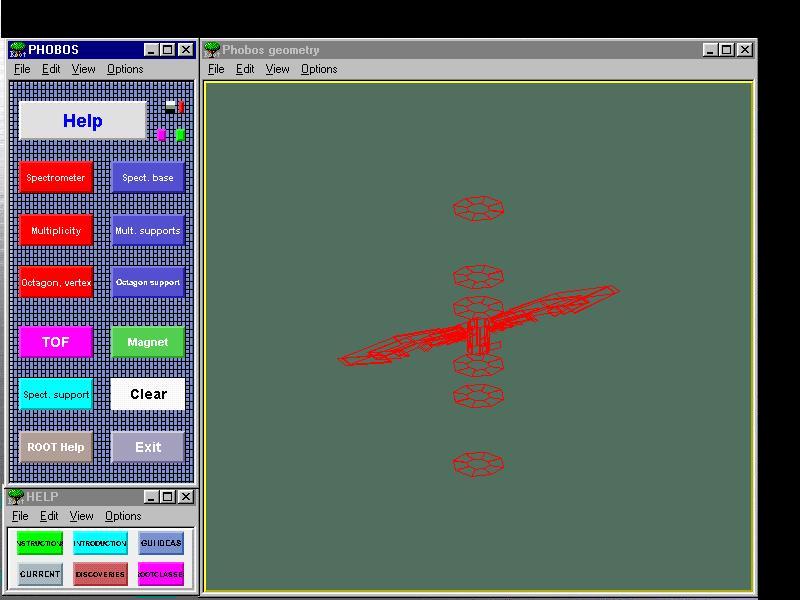
There is a facility g2root in the ROOT distribution which allows the translation of a GEANT ZEBRA output of its geometry tree into a ROOT TGeometry collection. Andrzej Olszewski did this a while ago as described in his February 23 e-mail message; I was able to make the translation recently and set out to experiment with the display of PHOBOS which this makes possible, and the new TButton class of ROOT. The file phobos.C in this (phgeom) directory is ASCII specification in ROOT format (TNodes) of the complete PHOBOS geometry as read into GEANT (PMC) from the new (also ASCII) ugcdata_v38.txt file. The pixeling now added does not seem to produce additional volumes or nodes in the ROOT translation; "divisions" appear to be handled differently from expicit volumes in GEANT and apparently aren't transmitted by g2root. (The behavior in phgeom is the same as version 37.) The main difficulty in using this file is that the geometry organization is by convenience in defining rotation matrices; the functionality of the components is somewhat encoded in the formalism of the ASCII node names. For example, SN__ names denote the sensitive regions of all the spectrometer silicon in one arm. Macro phcset.C selects nodes by functionality. It is used by most of the large buttons in the main display to display various subsystems of PHOBOS; the red and purple buttons select particle-sensitive items.
The main routine in this demo is the macro phgeom.C. A macro phghelp.C implements another button panel when the large HELP is picked. This illustrates the start of a "tree" of button panels. The new buttons bring up web pages. Macro phtog.C implements some procedures for the very small buttons, which apparently cannot be placed in-line in phgeom.C (see "Discoveries").
The first five buttons in this auxiliary help panel bring up local web pages which you
can view now. See the first
picture below to see these buttons.
The last button, Root classes , shows the ROOT class reference page. As for the main button panel ROOT Help button, a local mirror of ROOT help pointed to by environment variable BROWSER is used if it exists, otherwise the CERN copy is used (assuming a network connection). This is only implemented in the Windows 95 version; UNIX uses CERN.
No code is compiled in this example. This is discussed in "ideas..."; there is no need to. Compilation should be used for stable code, tight loops, and items which are more true objects e.g. classes than the procedures involved here.
You may browse these web pages, or download the whole demo. Unfortunately, because of differing arguments to gSystem->Exec(), there is a separate W95 download and UNIX download; any source code you see from these pages is for W95 (and presumably Windows NT). The UNIX version has been tried only on an HP9000. I have not installed or tested OpenGL yet on the UNIX version. The downloads include these web pages which as mentioned can be called from within the demo.
The next major step is to improve access to individual geometry nodes and overload the right mouse functions in order to display our own information.
Here is a gallery of some pictures obtained from the demo.
First we have the screen after the three large red buttons and HELP have been pushed:
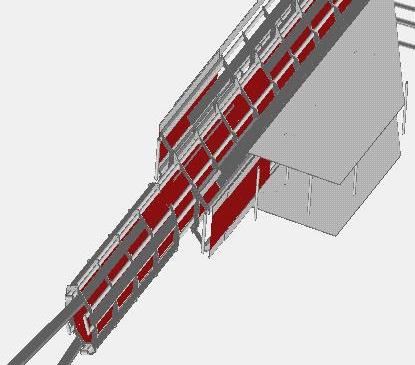
Next we have an OpenGL view of the octagon and its supports, with the "t" lighting option:
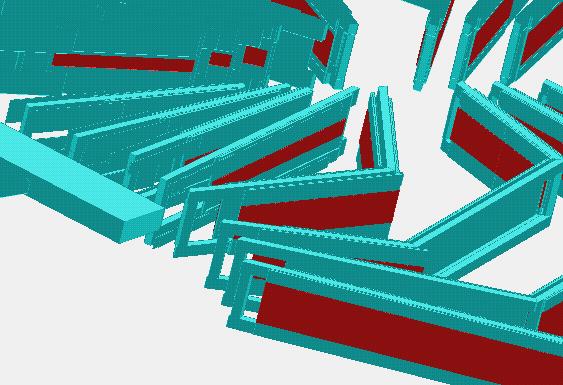
This is part of the spectrometer including supports, in OpenGL:
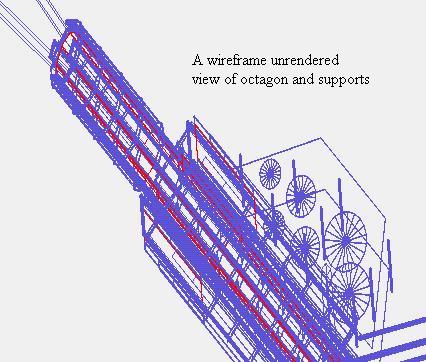
A wireframe view of the octagon:
In addition to the files described in the above text you may have a look at the following files:
| Donald W. McLeod Professor of
Physics High Energy Heavy Ion e-mail: mcleod@uic.edu, phone: (312)996-5358, fax: (312)996-9016 surface mail: D. McLeod, University of Illinois at Chicago Physics dept. M/C 273 845 W. Taylor St. Chicago Il 60607-7059 |
