Latchup Status
- Check if the status on the Silicon Slow monitoring computer
looks normal:
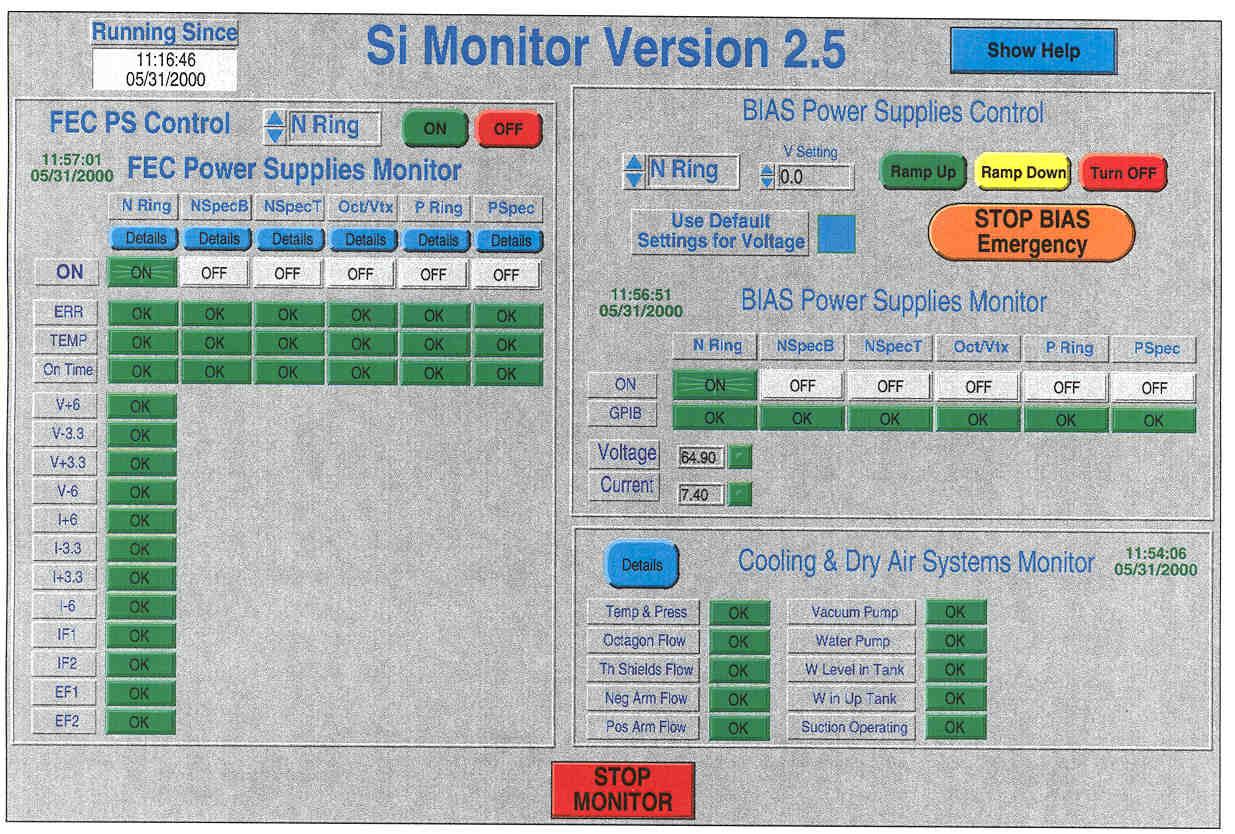
This is NORMAL
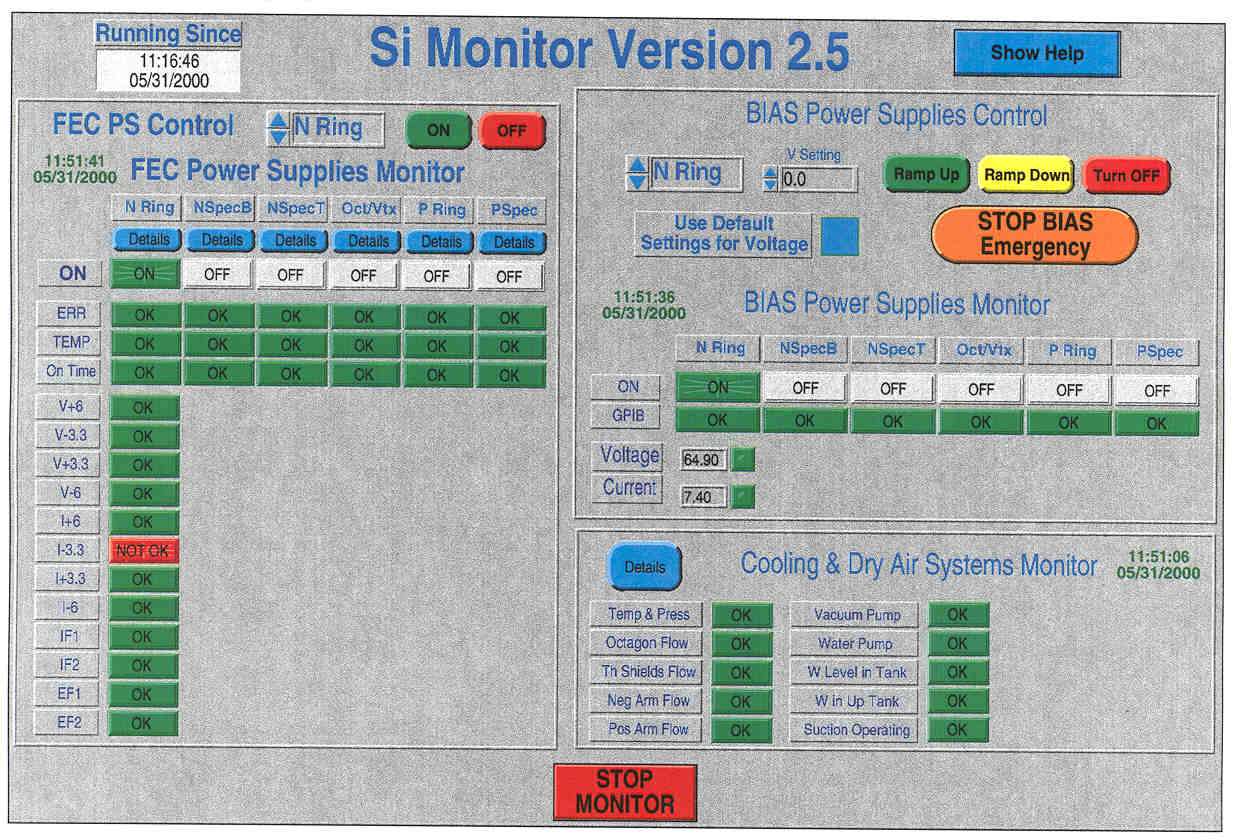
This is NOT NORMAL the currents of the -3.3V are
out of range and a red button shows up
- In normal operation this button can
turn red and back to green again every 5 minutes
- If it stays red then it is time to
call a Silicon expert
Starting the Latchup
test module
- Goto the Silicon
Slow Monitoring computer
- Locate the FEC PS control panel
- Make sure N-ring is selected
- Hit on button
- After about 10 seconds all the
voltage buttons should appear for N-ring
- Be patient
- All buttons should turn green
- Locate Bias Power Supplies Control
- Make sure N-ring is selected
- Set V Setting to 80
- Hit Ramp Up button
- A window should pop up saying that
bias is going to be ramped up
- Hit OK
- A window should pop up showing
ramping up of the bias
- Voltage/Current under N-ring should
show 80V/~8mA after a while
- Be patient
Stopping the Latchup
Module
- Goto the Silicon
Slow Monitoring computer
- Locate Bias Power Supplies Control
- Make sure N-ring is selected
- Hit Ramp Down button
- A window should pop up showing
ramping down of the bias
- Locate the FEC PS control panel
- Make sure N-ring is selected
- Hit off button
- After about 10 seconds all the
voltage buttons should disappear for N-ring
- Be patient